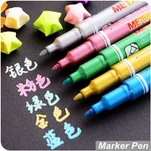
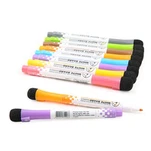
As a common tool in drawing and design, the maintenance and troubleshooting of markers directly affect their performance and lifespan. Below are detailed maintenance methods and solutions to common problems to help you better utilize your markers:
I. Daily Maintenance of Markers
1. Proper Storage
Vertical Storage: Store markers vertically with the cap facing upwards to prevent the nib from prolonged contact with ink, which can cause deformation or clogging.
Avoid High Temperatures/Humidity: Keep away from direct sunlight, heating, or humid environments to prevent ink deterioration or pen swelling.
Categorized Storage: Store markers by color or type (e.g., fiber tips, foam tips) for easy access and to reduce nib collisions.
2. Timely Capping
Cap After Use: Alcohol-based marker ink is volatile; immediately cap the marker after use to prevent the nib from drying out.
Check Sealing: If the cap is loose or worn, temporarily secure it with tape or replace it with a new cap.
3. Regularly Clean the Nib
Fiber Tip Markers: Gently wipe the nib with an alcohol swab to remove dried ink or fiber impurities.
Avoid pulling on the pen tip to prevent damage.
Foaming tip markers: Soak the pen tip in water or a dedicated cleaning solution (5-10 minutes), then gently squeeze to expel the ink.
After cleaning, pat dry with a paper towel and allow to air dry before use.
4. Avoid mixing inks
Dedicated ink refill: Oil-based markers require the same brand of dedicated ink to avoid clogging or color changes caused by different formulas.
Alcohol-based markers: Can be refilled with general-purpose alcohol ink, but ensure it is free of impurities.
II. Common Problems and Solutions
1. Dried-out pen tip or no ink
Causes: Ink evaporation due to prolonged disuse.
Pen cap not tightly closed or dry storage environment.
Solutions:
Shake the pen: Gently shake the marker to distribute the ink evenly to the tip.
Press the pen tip: Press the pen tip vertically onto scrap paper, repeating several times to help the ink flow.
Clean the pen tip: Wipe the pen tip with an alcohol swab, or soak and squeeze to expel the dried ink.
1. Refill Ink: If the pen runs out of ink, refill with the special ink as instructed in the manual.
2. Uneven Color or Color Breaks:**
Causes:
Too slow pen strokes or repeated smudging.
Clogged nib or insufficient ink.
Solutions:
Quick Pen Strokes: Maintain a consistent speed across the paper, avoiding pauses or backstrokes.
Clean Nib: Check the nib for impurities and test ink flow after cleaning.
Change Paper: Rough paper can cause uneven ink absorption; use smooth marker paper.
3. Color Smudges When Layering:
Causes:
The first layer of ink is not completely dry before adding the second layer.
Inappropriate Color Selection (e.g., directly layering complementary colors).
Solutions:
Dry Layering Method: Allow the first layer to dry completely before adding another color.
Utilize Transparency: Alcohol-based markers have high transparency; use a light base color first, then gradually deepen the color with each layer.
Adjust Color Scheme: Avoid directly layering complementary colors; use analogous or adjacent colors for transitions.
4. Ink Bleeding or Smudging
Causes: Poor paper absorbency (e.g., regular printer paper).
Excessive pen pressure or slow pen stroke.
Solutions:
Change paper: Use smooth paper such as tracing paper or marker paper.
Control pressure: Hold the pen lightly to reduce pressure on the paper.
Pen quickly: Avoid letting ink linger on the paper for too long, causing it to spread.
Absorb Bleeding: Gently press the bleed area with a tissue to absorb excess ink.
5. Deformed or Split Pen Tip
Causes: Prolonged pressing or excessive force.
Pulling the pen tip during cleaning.
Solutions:
Use gently: Avoid pressing the pen tip too hard.
Replace the Pen Tip: If the pen tip is severely deformed, purchase a replacement of the same model (some brands support this).
Trim the Pen Tip: Carefully trim the split parts with scissors (only applicable to fiber tips; handle with caution).
6. Pungent Odor or Deteriorated Ink
Causes: Ink evaporation or contact with chemicals. Mold growth is caused by a damp storage environment.
Solutions:
Store in a well-ventilated area: Keep the storage environment dry and well-ventilated.
Check the expiration date: Expired ink may have deteriorated and needs to be replaced with a new pen.
Avoid mixing: Ink components from different brands of markers may conflict, causing abnormal odors.
III. Handling Special Cases
1. Accidental Marker Print on Clothing/Desktop
Clothing Cleaning:
Alcohol-based markers: Gently wipe with an alcohol wipe or makeup remover, then wash with laundry detergent.
Oil-based markers: Apply medicated oil or gasoline (test on a small area first), then rinse with water.
Desktop Cleaning:
Smooth surfaces: Wipe with alcohol or a specialized cleaner.
Wooden surfaces: Immediately blot the ink with a paper towel to prevent seepage; subsequently repair with wood conditioner.
2. Maintenance of Markers Stored for Long Periods
Regular Testing: Every 1-2 months, take out the marker and test the ink flow on scrap paper.
Replenish Ink: If the ink is low, replenish it promptly to prevent the nib from drying out.
Clean the pen nib: Clean the pen nib before storing it to prevent ink from drying out and clogging it.
IV. Recommended Maintenance Tools
Cleaning Supplies: Alcohol wipes, pen cleaning solution, small tweezers (for removing impurities from the pen nib).
Storage Tools: Marker holder, pen case (with dividers).
Auxiliary Tools: Waste paper (for testing ink flow), scissors (for trimming pen nibs; use with caution).